Showing posts with label Audrey St pius X Catholic School. Show all posts
Showing posts with label Audrey St pius X Catholic School. Show all posts
Tuesday, 3 August 2021
Audrey - RE: Life in the Early Church
WALT: Identify some of the difficulties which faced the Early Church communities Today for Re the year sixes and I were doing our slide which is for the year sixes and for every slide we had to do it on a gooogle drawing. What I found hard was nothing at all because I kown what do. What I found easy was all my work but next time I will try to do more of my work so here is my Re activites and I hope you love god.


Wednesday, 16 June 2021
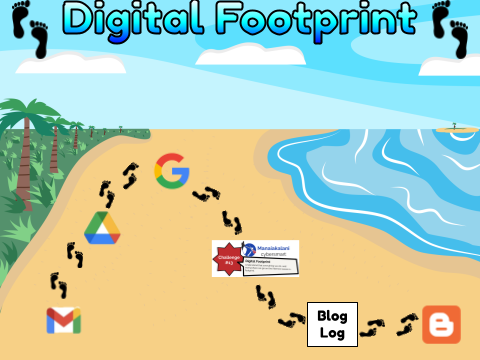
Cybersmart Challenge 13: Audrey - My Digital Footprint
Today I was doing my Cyber-smart Challenge because I love to do it and because I need to always keep up with it. the Cyber-smart Challenge 13 was about My Digital Footprint which mean what we were doing in the 24 hour on our "history". what I found hard was nothing because I had instructions and what I found easy the the rest of my work like the copying and pasting and making cool colour titles so here is my Cyber-smart Challenge 13: My Digital Footprint and I hope you enjoy and never give up in hard times.
Monday, 22 March 2021
Pablo Picasso By Audrey
On the 9th of March Te Wairua Pakiki 4 (TWP4) did some art that is based on Pablo Picasso's Cubism art. Pablo Picasso is a great artiest he make a lot of Cubism art. Picasso grew up in Barcelona, showing artistic talent at an early age but died of old age or sickness. In the early 1900s, he moved between France and Spain before finally settling in Paris in 1904. Here are some of his art work.

In cubism you can play around with a lot of shapes. The facial features like your eyes, nose, mouth and ears can be in different shapes and places. Our teacher said "Cubism is that it look as if the painting dropped and cracked, and was rearranged when put back together". when we looked at the picture we noticed that we got to make the mess in to a pieces of art. After our teacher demonstrated and we saw lots of examples it was our turn to draw. Yo can give it a go too!
Step 1:In pencil, draw your head, any shape will work. You can use a mirror or draw from your\imagination.
Step 2:Add your facial features, eyes, nose, mouth, etc. Try to use shapes you noticed in your discussion.
Step 3:Add your hair. What lines can you use to look like hair?. so here my photo.

To read more from Audrey click here
Tuesday, 16 March 2021
Digital Art
In TWP 4 we've been learning and practicing how to make art on our devices.
The steps were easy to follow and our teacher demonstrated to us first.
Step 1: Find an image to trace. The more simple the better. We choose a simple cartoon dog like this one.

Step 2: Find out whether to use the Curve or Polyline tool to begin tracing. This is important to know the rule for this is:
If there are curved edges, then for that section of the image, use curve.
If there are sharp edges, use polyline for the section
Step 3: Check if you can use any shapes to create part of the image. - For our dog it was mostly lots of different sized circles. This made colouring so much easier.
Step 4: Start tracing the image. Use your different lines or shapes to colour over your picture. Remember to zoom in and not to move your picture until you're finished.
Here are some of our drawings.
By AudreyClick these links to see Lisiate's progressions from his First attempt second attempt and third attempt
Or see Melenaite's dragons
Subscribe to:
Posts (Atom)